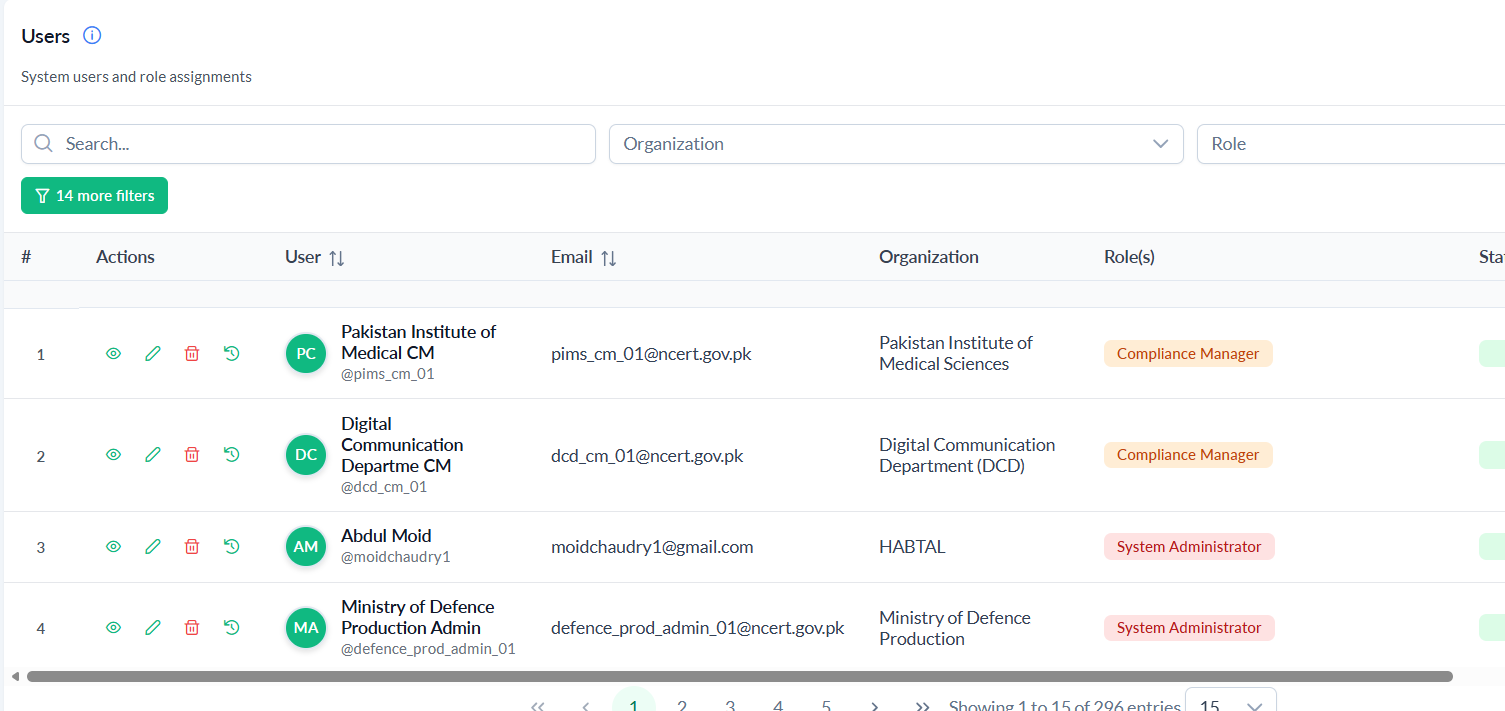
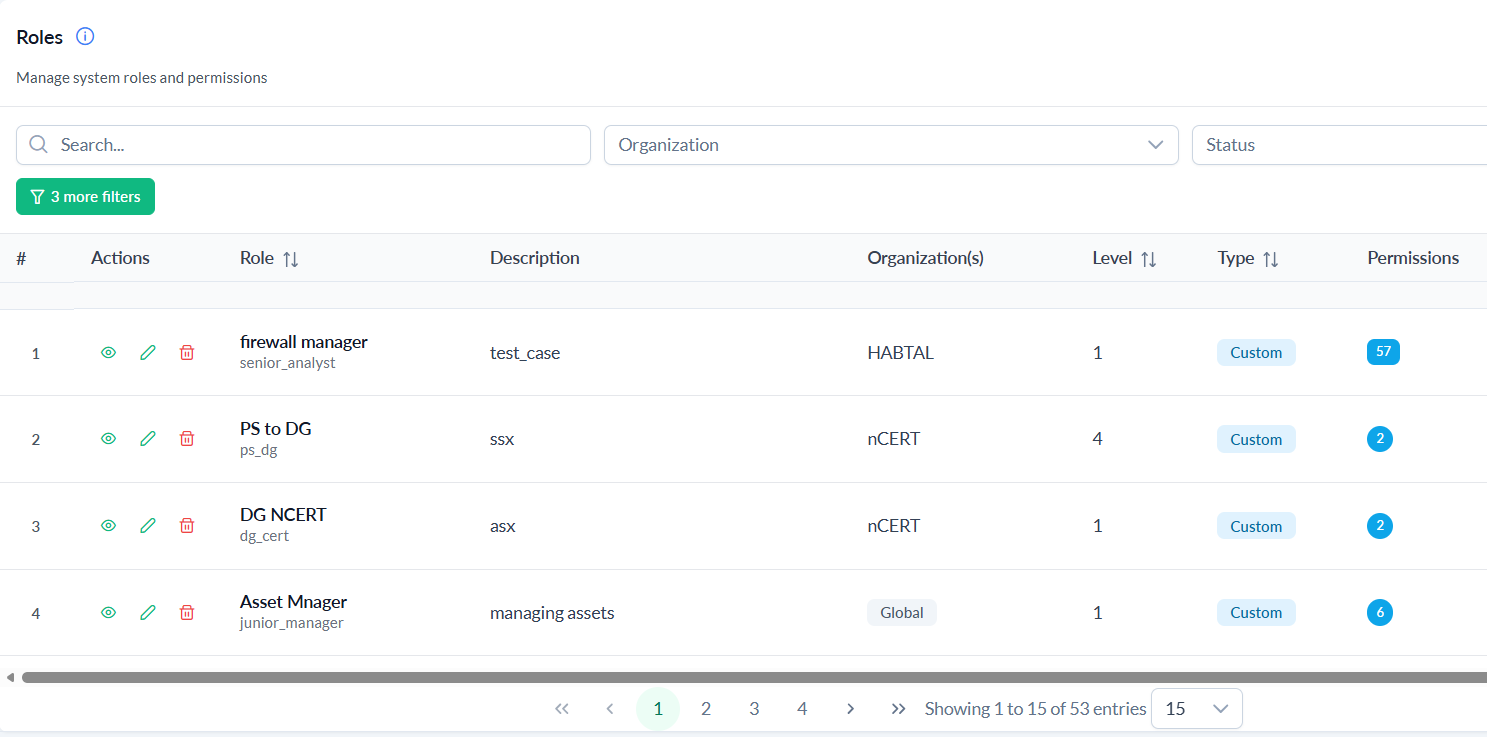
Governance, Risk, Audit & Compliance, Automation & AI, and Platform Admin — 20+ integrated modules sharing the same organizations, controls, and evidence.
Governance Dashboard, Framework, Policy, Organization, and Compliance — the foundation every other pillar builds on.
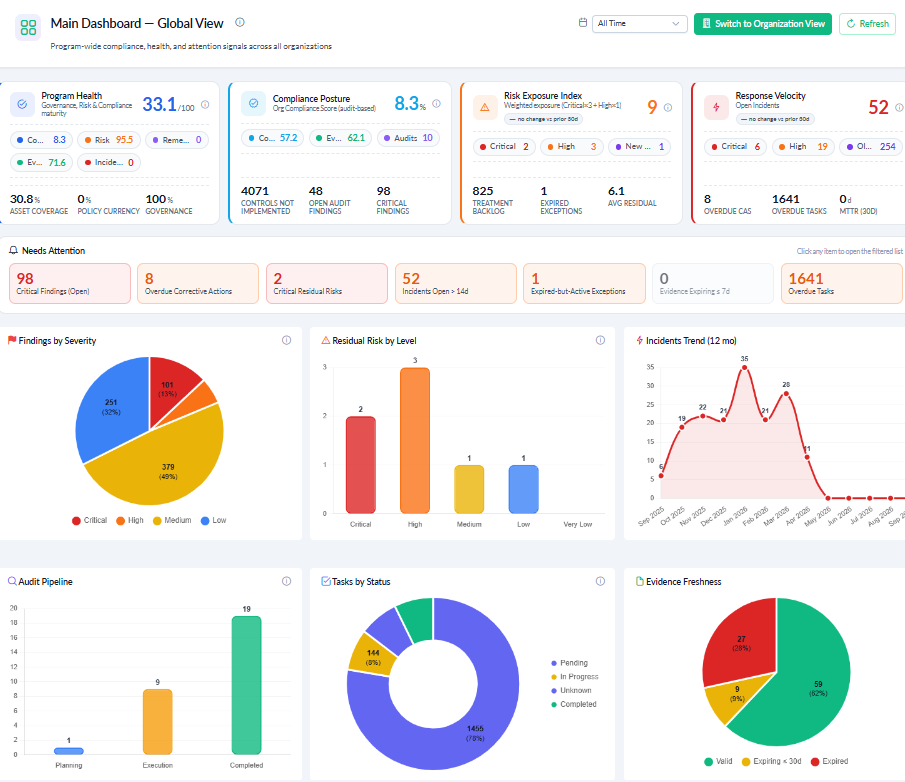
A single-glance executive view of governance, risk, and compliance posture, with real-time aggregate KPI tiles across every GRC pillar.

Hierarchical or flat structures; 12+ pre-loaded frameworks (ISO 27001/42001, NIST CSF 2.0, PDPL, PISF, ECC-2024, Aramco CCC, GDPR, PCI-DSS, CTDISR, SOC 2, IEC 62443); cross-framework control mapping so you implement once and satisfy many.
Full lifecycle: draft → statements/documents → review → approve → publish → attestation. AI-assisted drafting, review and improvement suggestions, plus a shared Knowledge Center of vetted templates.
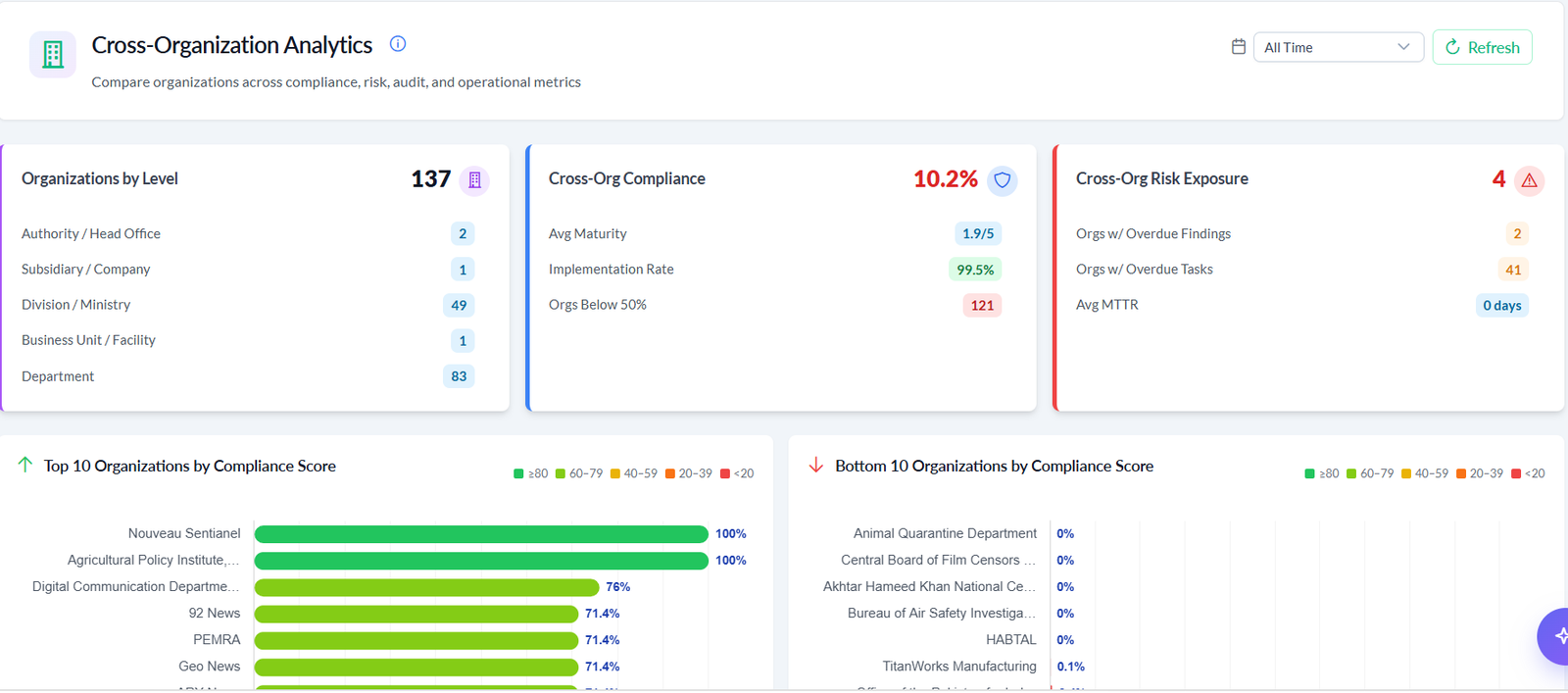
9-level parent-child hierarchy for federated structures. Organizations record isolated; parents see aggregate posture while children see only their own. Multi-tenant SaaS or on-prem / sovereign deployment per entity.
Control implementation tracking with effectiveness ratings, auto-updated from audit test results and evidence validation. Multi-framework control reuse — one control, many standards.
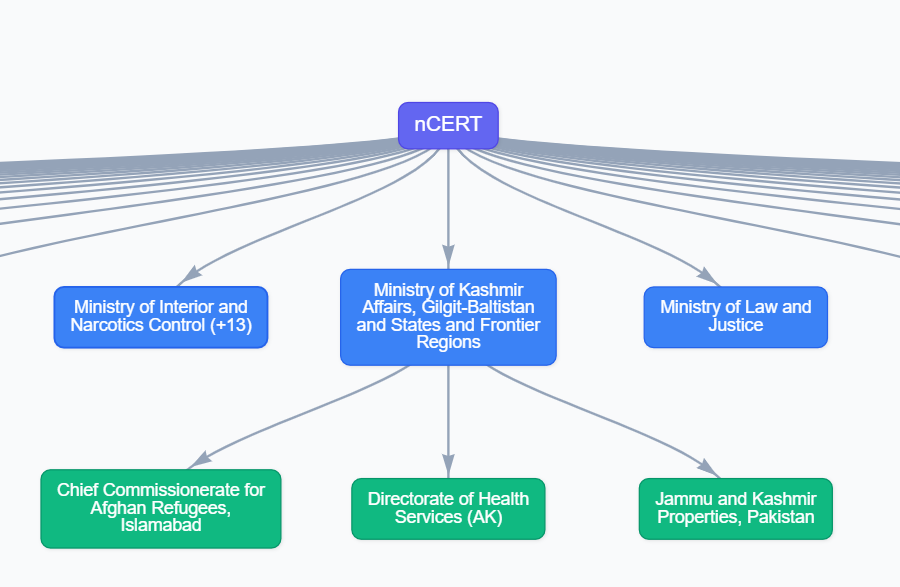
A ministry, holding company, or MSSP can model every subsidiary, division, or department as its own organization record — each with isolated data and its own compliance posture, rolled up for oversight.
Most GRC tools ask you to rebuild the same controls for every standard you adopt. CyGuardPro keeps controls in one place and lets frameworks point to them.

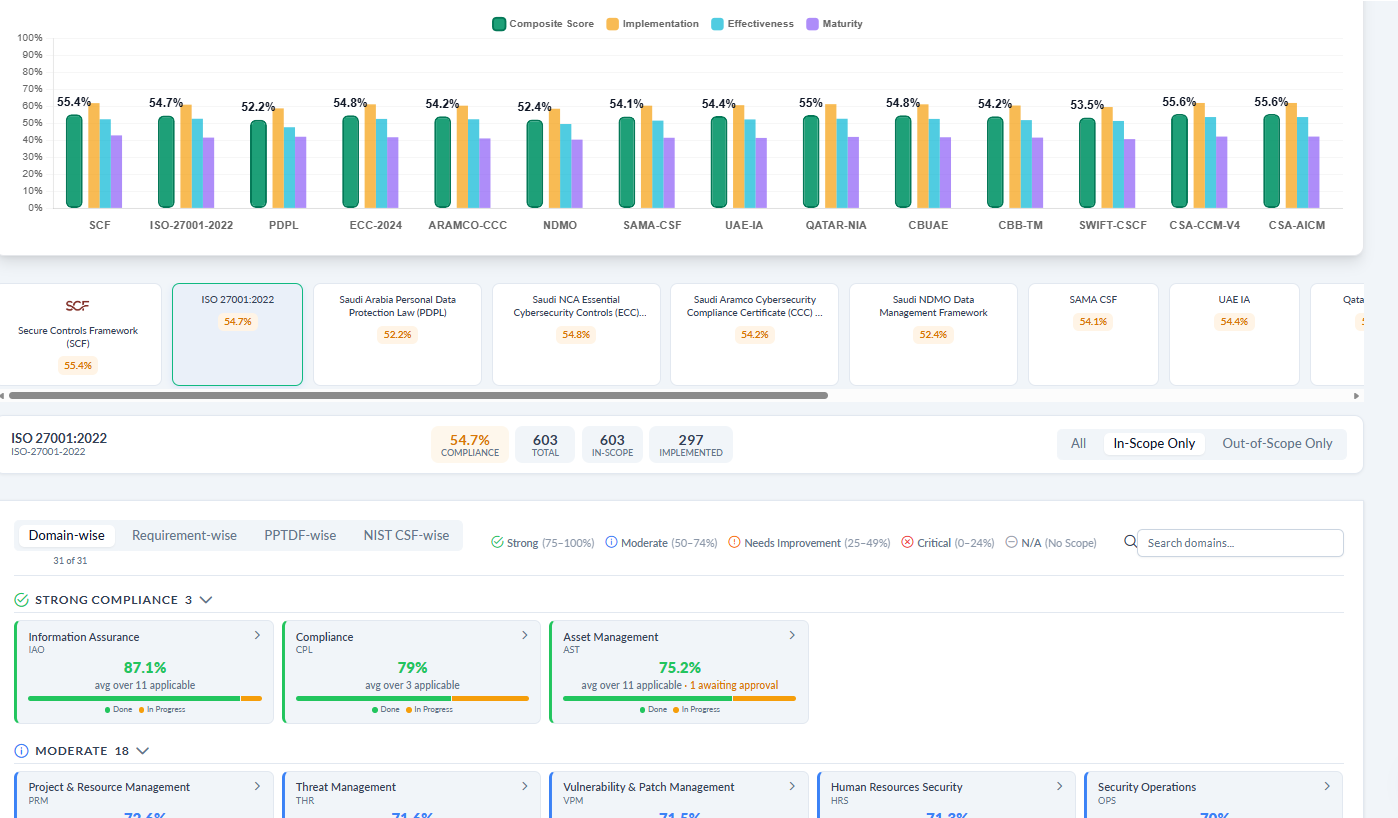
Compare compliance percentage across every adopted framework, then drill into domain-level status — strong, moderate, needs improvement, or critical — right down to individual requirements.

12+ pre-loaded frameworks span international standards, regional mandates, and sector-specific requirements, with 100+ additional frameworks ready to be ingested on the go as your organization's requirements evolve. Custom framework authoring covers anything not yet in the catalogue.
A control implementation is your organization's live working record for a catalogue control — scope, status, effectiveness, evidence, and approval, all in one place.
Mark each control in-scope or out-of-scope with a required justification, then track implementation status, effectiveness rating, and current / target maturity level.
Link evidence, mapped assets, related risks, and policies directly from the control implementation workspace — the same record auditors review.
Submit for approval, approve, return, or verify according to your organization's governance rules — with a full workflow position summary at every step.
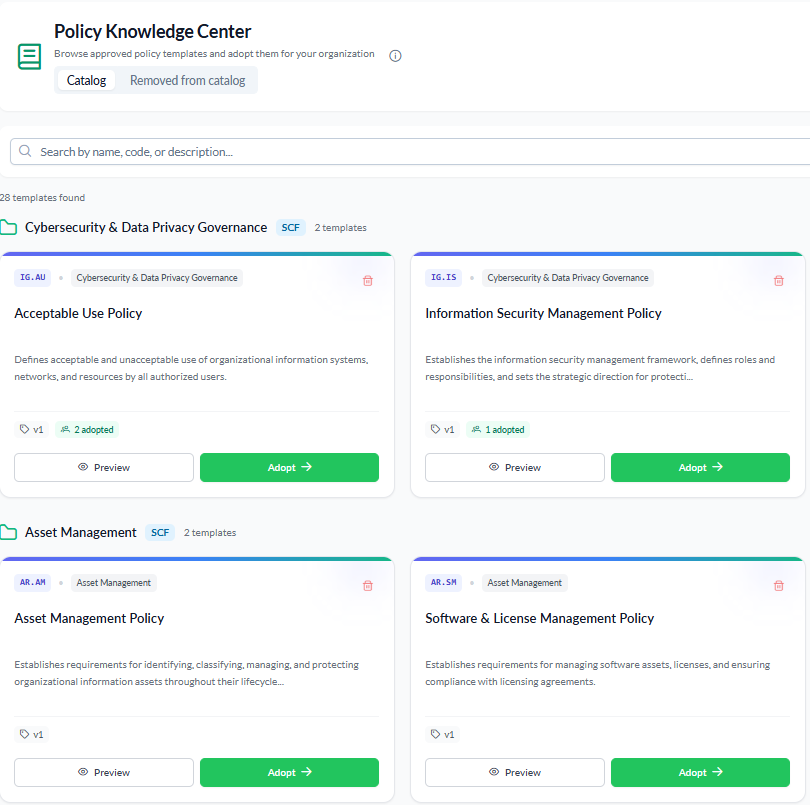
Adopt a vetted template from the shared Knowledge Center, or draft locally with AI assistance. Either path follows the same seven-step lifecycle through to staff attestation.

Risk, Asset, Vendor, Incident, and Exception — identify what could go wrong, where it lives, and what you're doing about it.


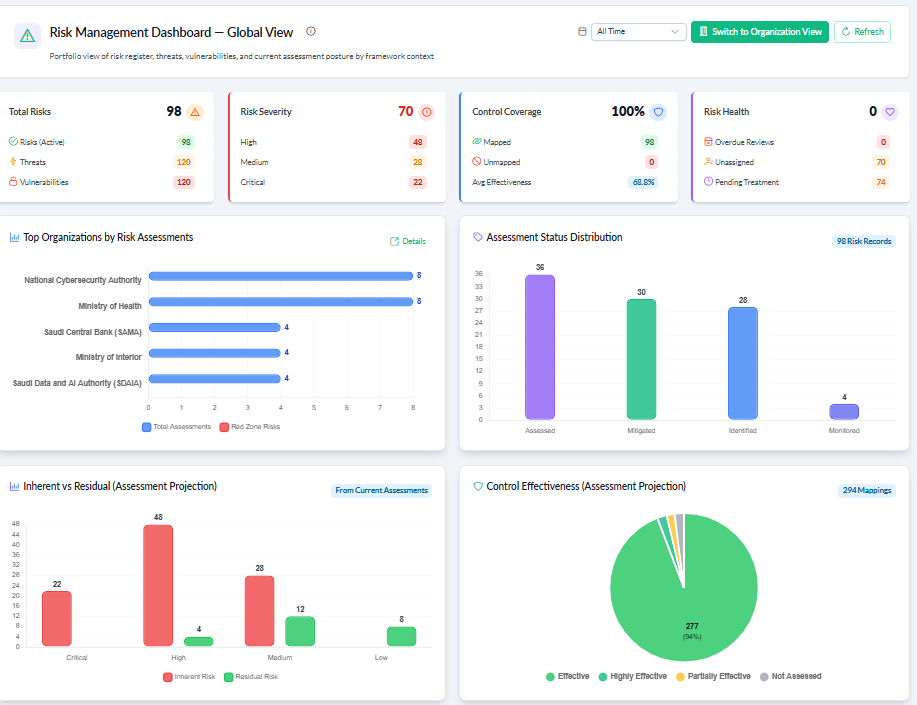
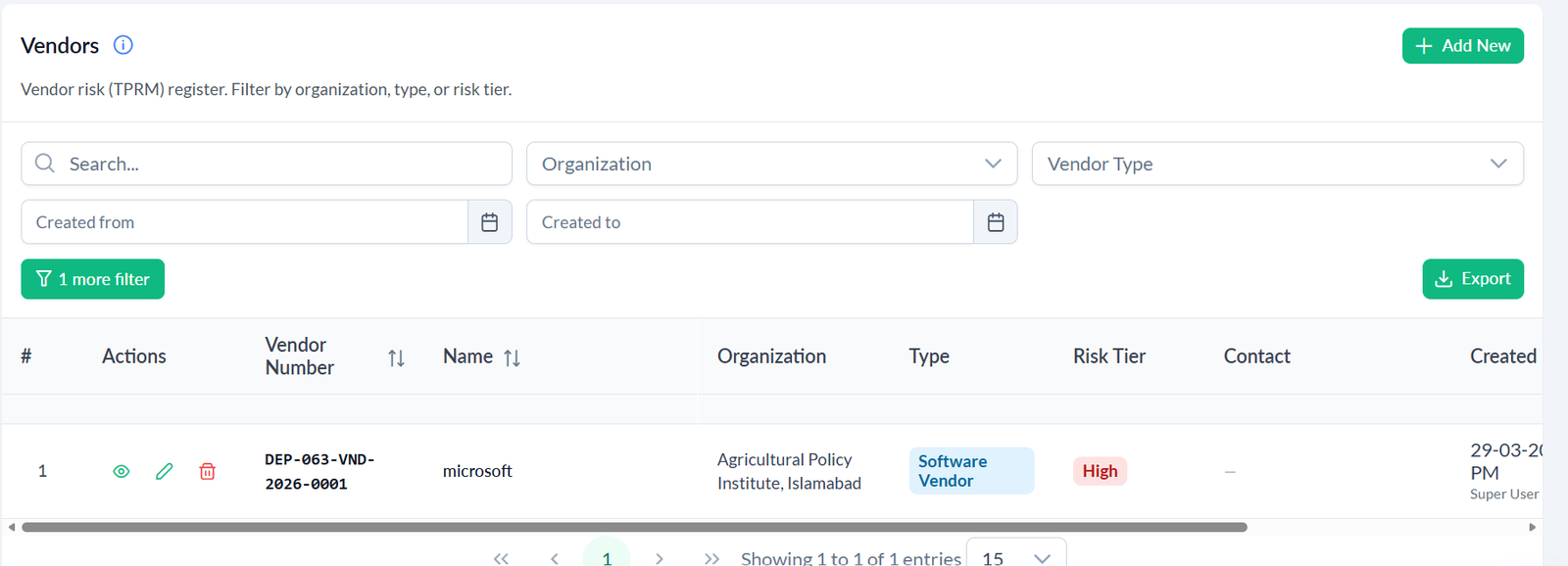
A 3,000+ risk library and 7,000+ threat & vulnerability catalogue mean most programs adopt known risk scenarios rather than authoring every one from scratch.

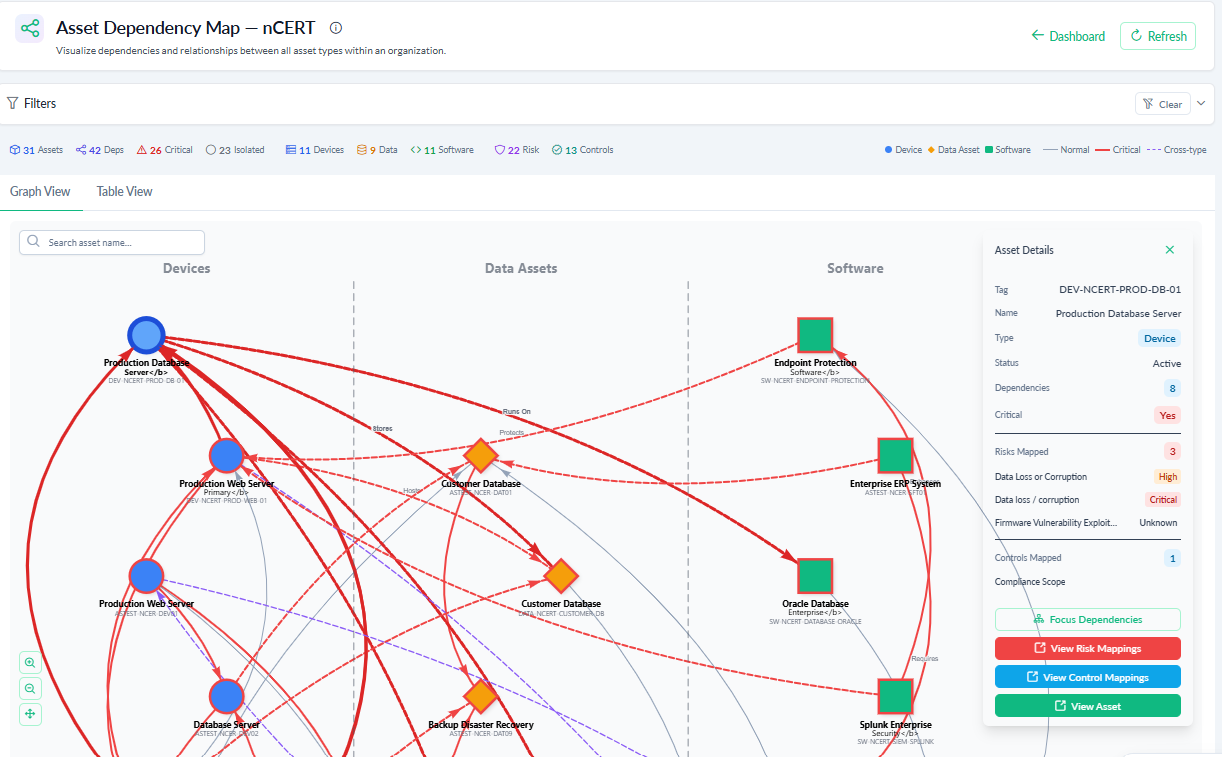
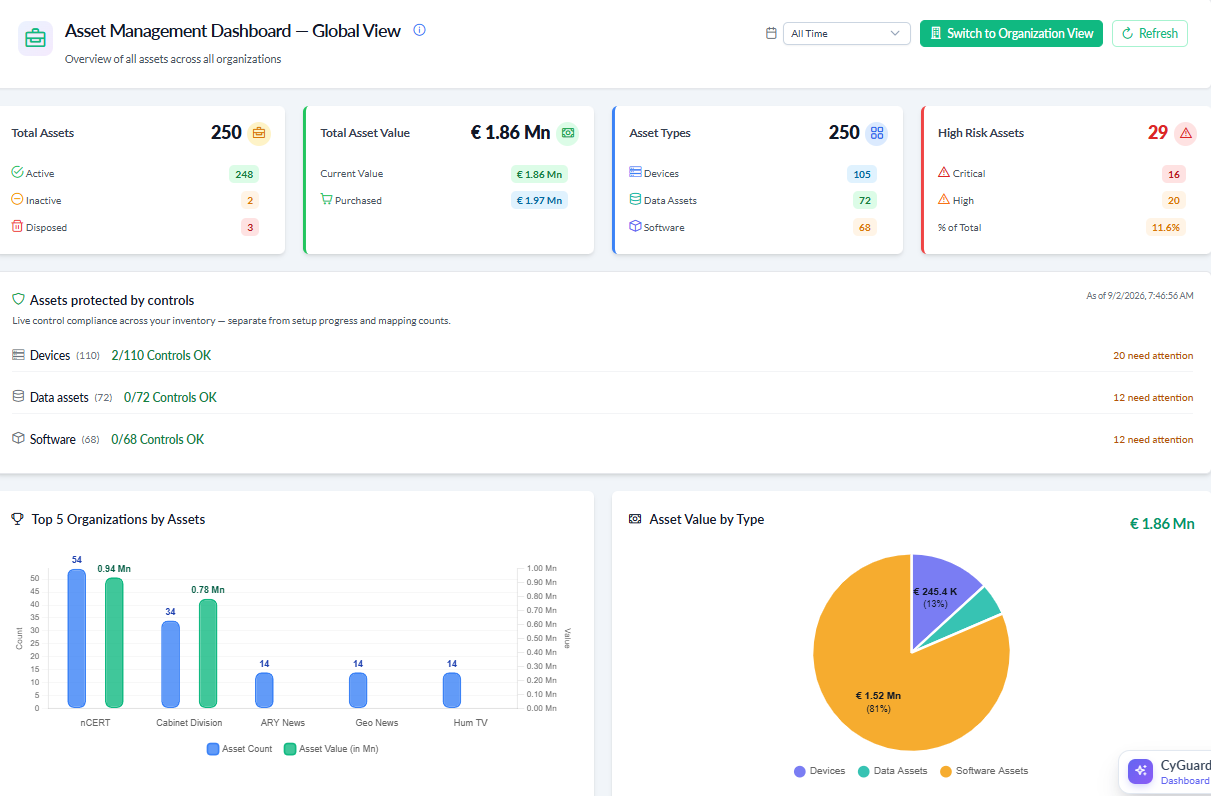
Devices, data assets, and software assets carry CIA classification aligned to FIPS 199, NIST, ISO 27001, and NATO standards. When an asset's risk changes, it propagates automatically to everything that depends on it.

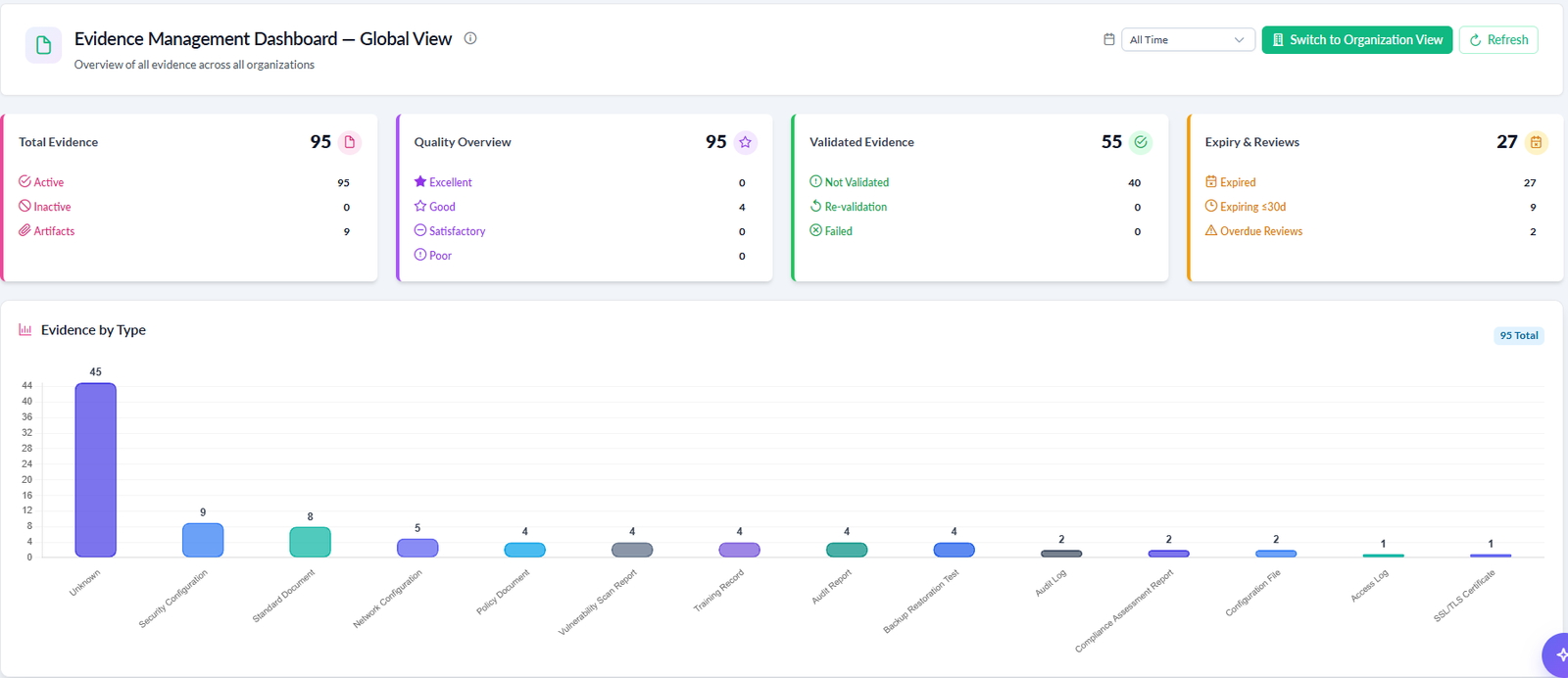
Evidence and support attachments carry MD5 and SHA-256 checksum fields, with automatic hashing on save and SHA-256 fallback at audit link time — so what an auditor sees is provably what was collected.
Engineering controls documented for evaluators — presented plainly, without overstating what has and hasn't been formally certified.
Audit, Evidence, Findings, and GDPR — run the audit, prove the control, close the loop.
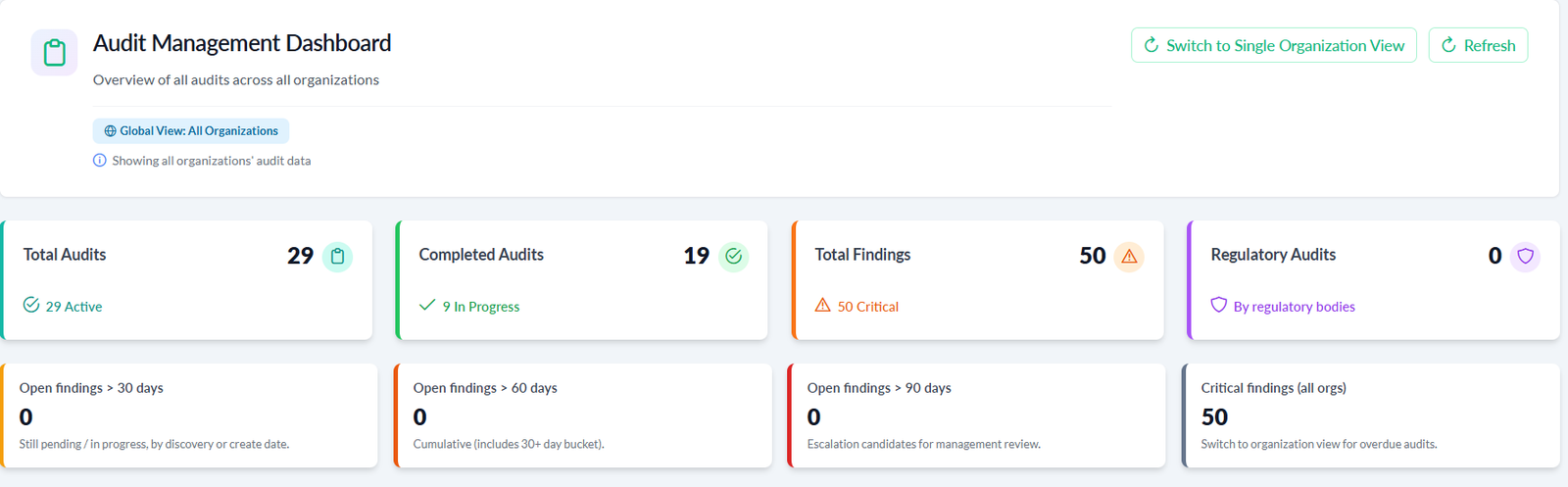
Full lifecycle — Planned → In Progress → Review → Closed. Automated weighted compliance scoring from test results, AI-predicted completion date and finding likelihood, recurring audit auto-scheduling, and HTML/PDF report generation.
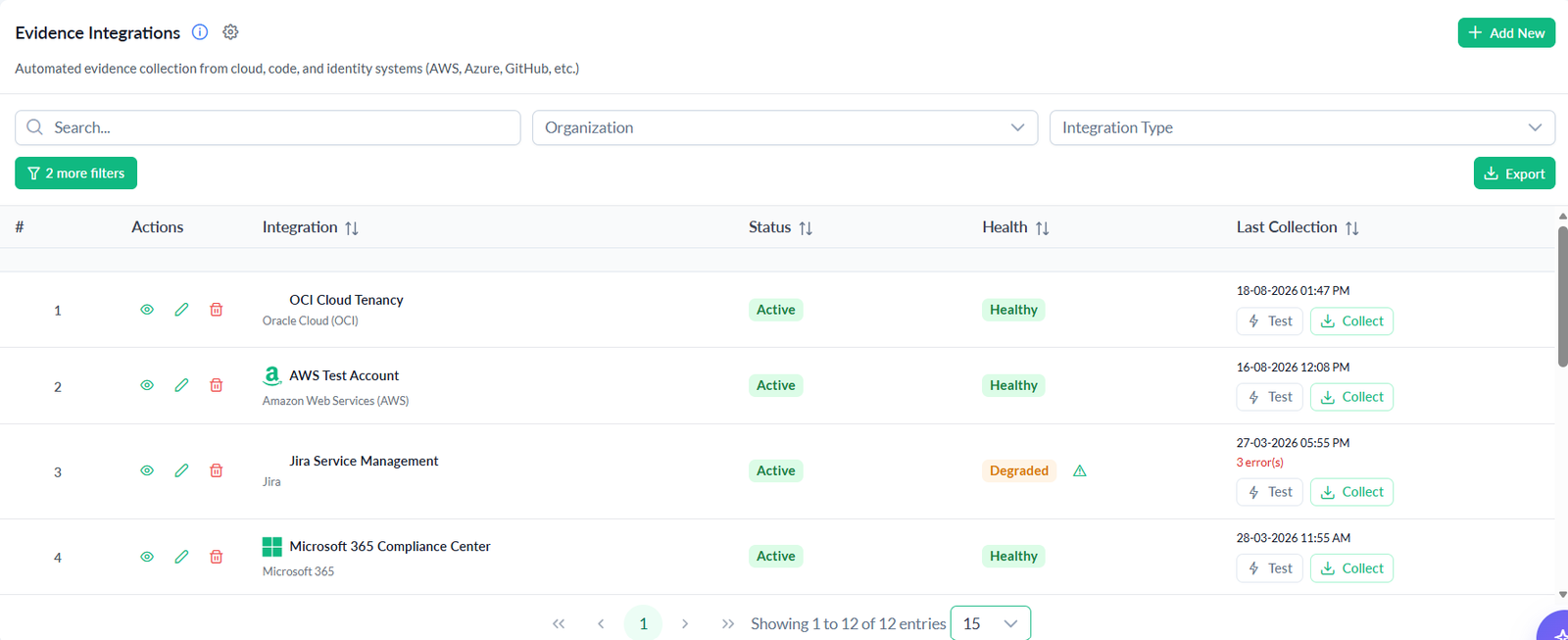
Evidence-to-control mapping, auto-created on save; AI-assisted validation against defined test rules; automated cloud evidence collection (AWS and more); centralized artifact storage with audit-ready traceability.
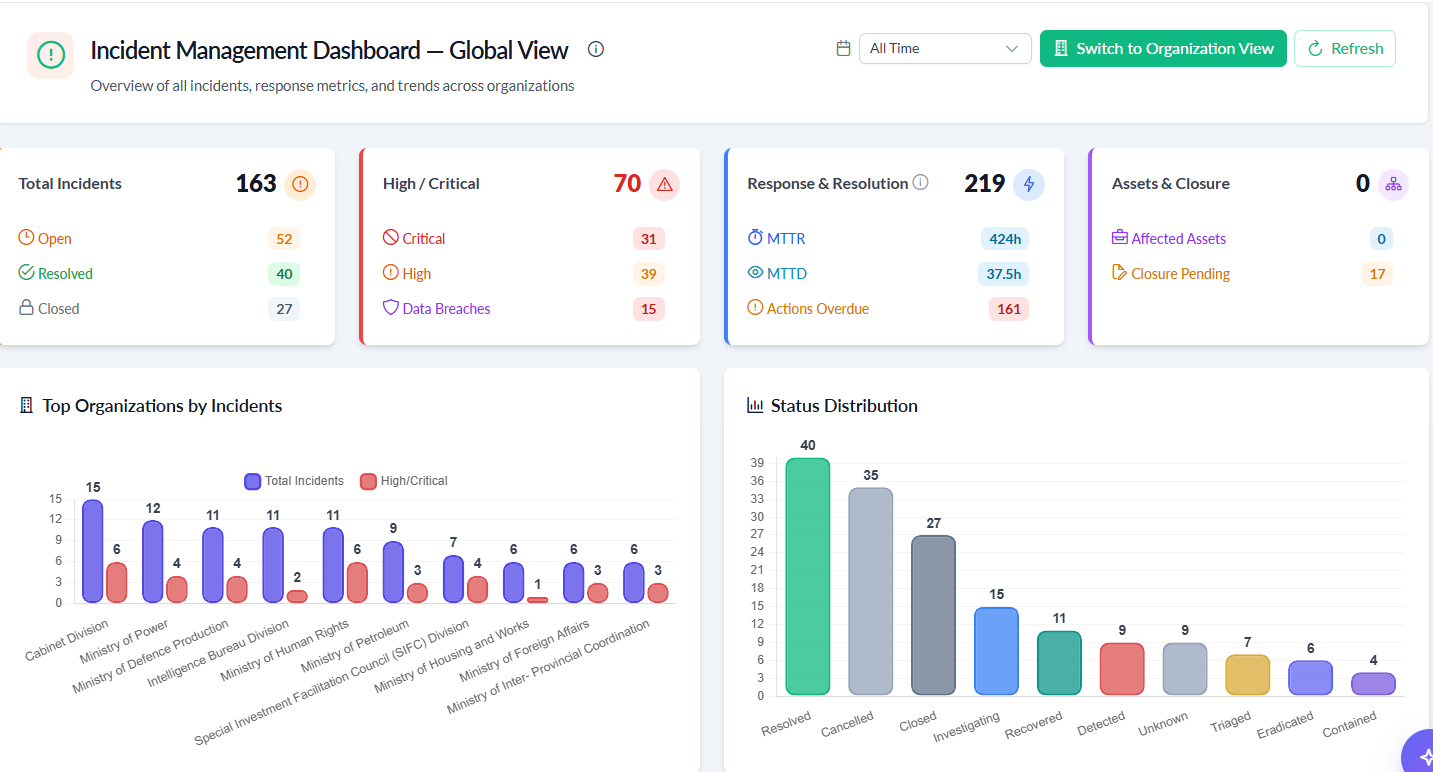
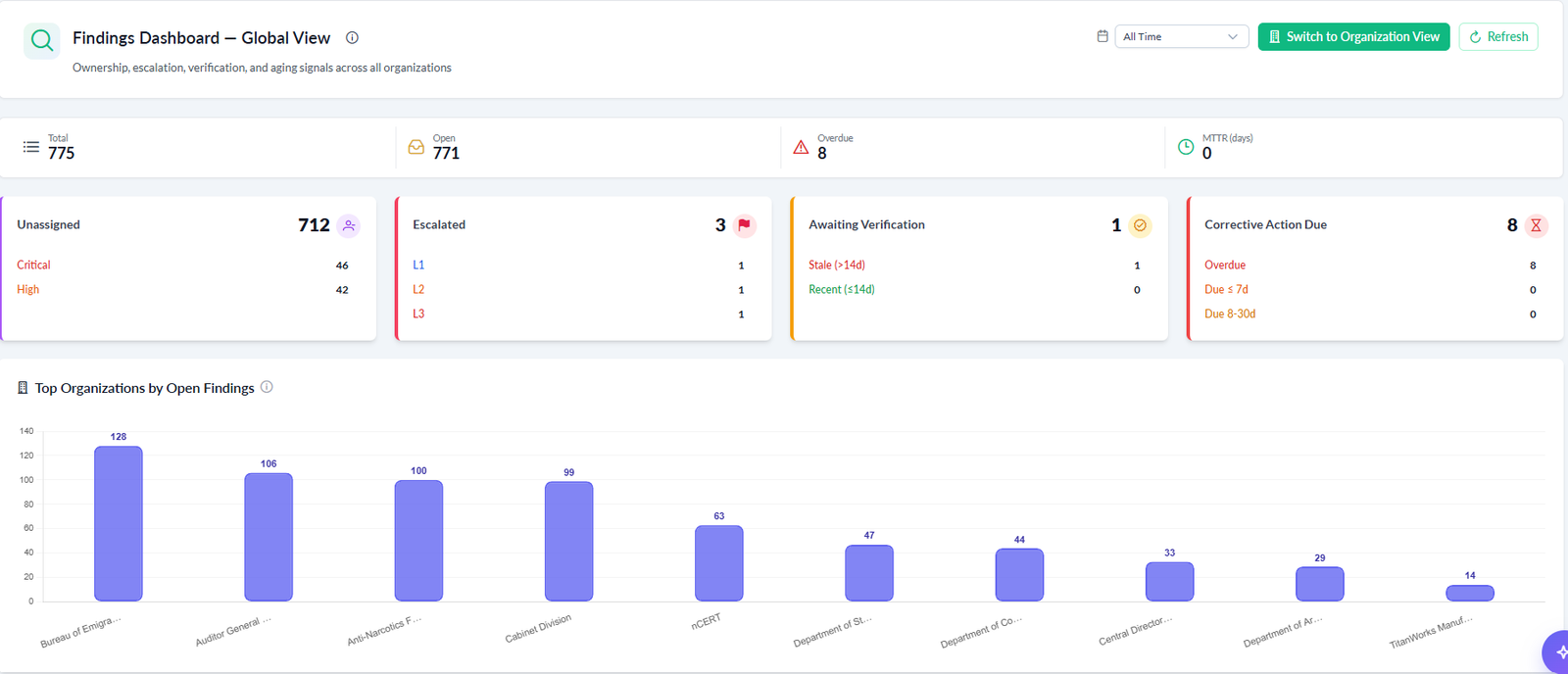
One finding record type, aggregated from every source across the platform — audits, risk assessments, incidents, and vendor assessments. Full lifecycle from open through verification and closure.
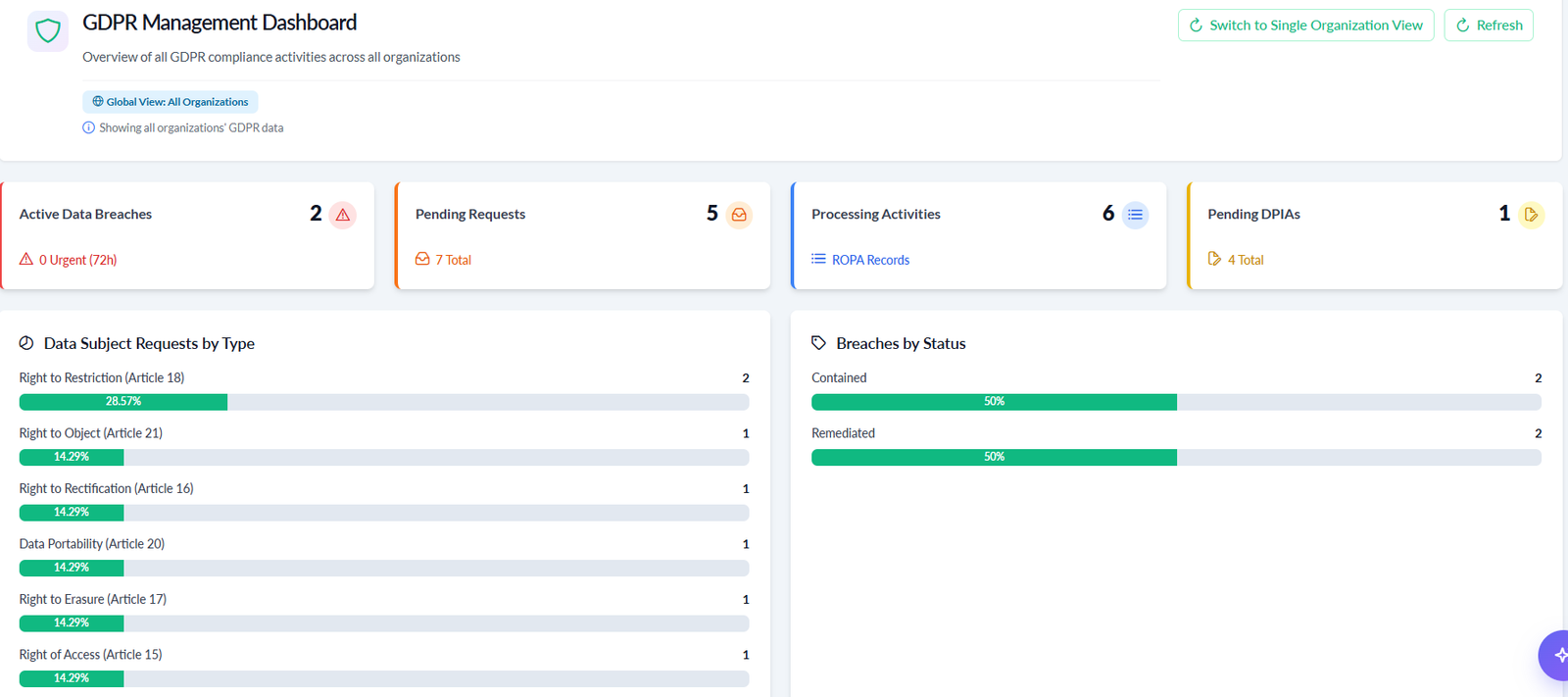
Data subject rights, 72-hour breach notification workflow, DPIA management linked directly to processing activities, and Record of Processing Activities (ROPA) per Article 30 — with an admin portal for DPOs and a public portal for data subjects.


Every audit sits in a phase shown as a progress strip, with a readiness checklist gating each advance.
Record method, sample, result, and effectiveness for every control test. AI Auto-conduct proposes results for untested controls so testers review rather than start from a blank page.
Test method (inquiry, inspection, observation, re-performance), sample & population size, tester, date, and detailed results — all against the control's official guidance.
Proposes a result for each untested control, labelled by source (AI-assisted or heuristic). Testers review and accept only what they agree with — the tester remains responsible for every recorded result.
See every framework requirement's status — in scope and tested — before leaving fieldwork, so gaps surface early instead of during reporting.

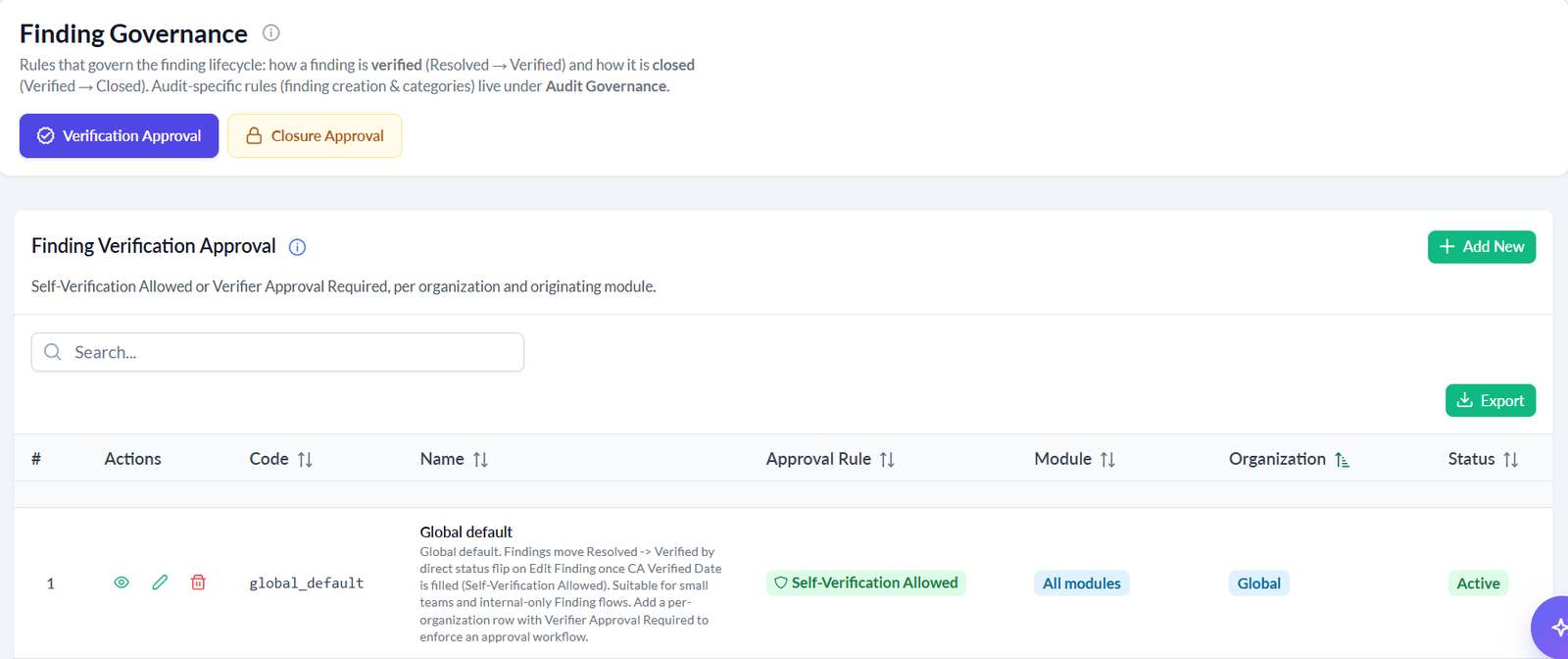
Findings raised from failed control tests, risk assessments, incidents, or manual entry all follow the same remediation path — from intake to independently verified closure.
| Category | Meaning |
|---|---|
| Major NC | Major non-conformity |
| Minor NC | Minor non-conformity |
| Observation | Noted, not a non-conformity |
| OFI | Opportunity for improvement |
| Excluded | Not reportable in this audit |
Finding Governance controls how Resolved → Verified and Verified → Closed work — self-verification for lower-risk items, or an independent verifier workflow for anything that needs a second set of eyes.

| Status | What happens next |
|---|---|
| Draft | Submit for sign-off — requires at least one recorded control test result |
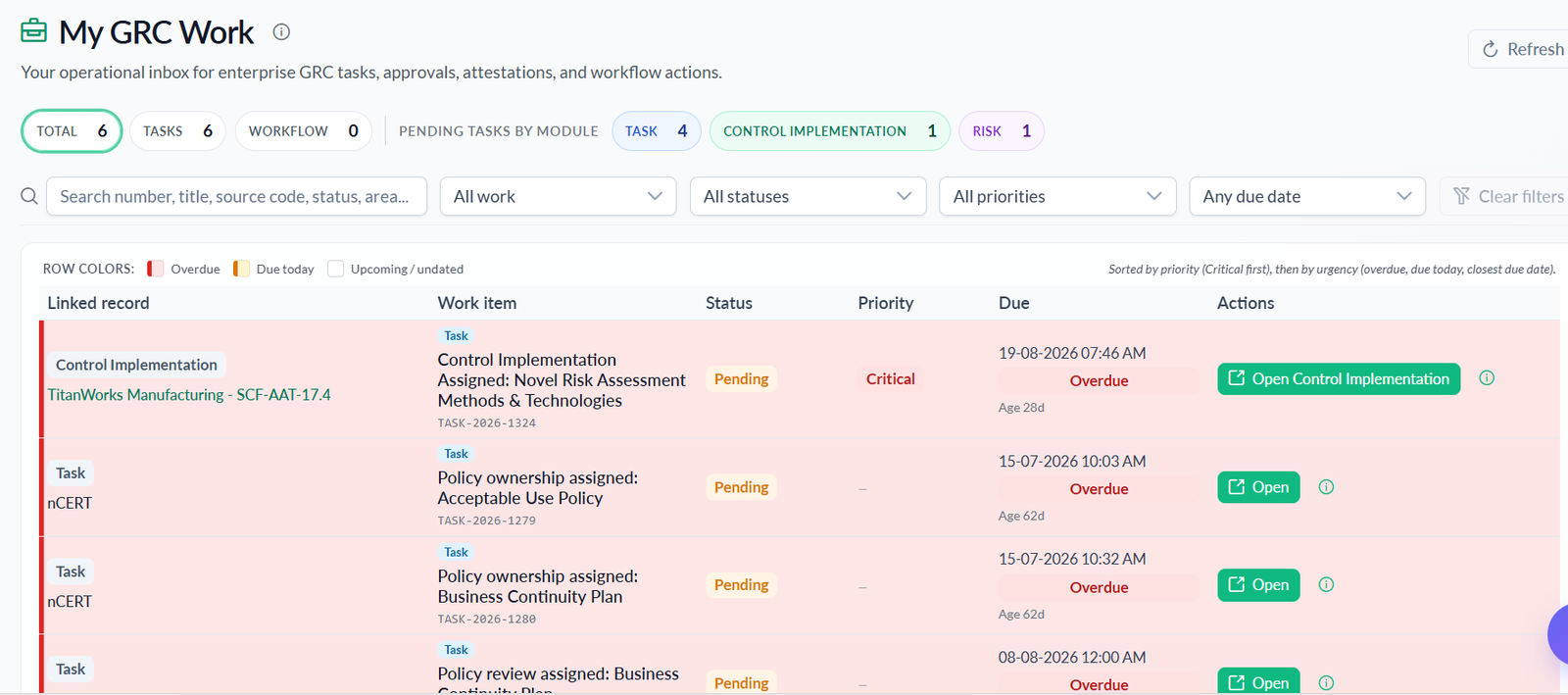
| Under review | Assigned approver acts from their My GRC Work inbox — Approve & sign off or Reject |
| Approved | Lead auditor publishes the report |
| Published | Final record for the audit engagement |
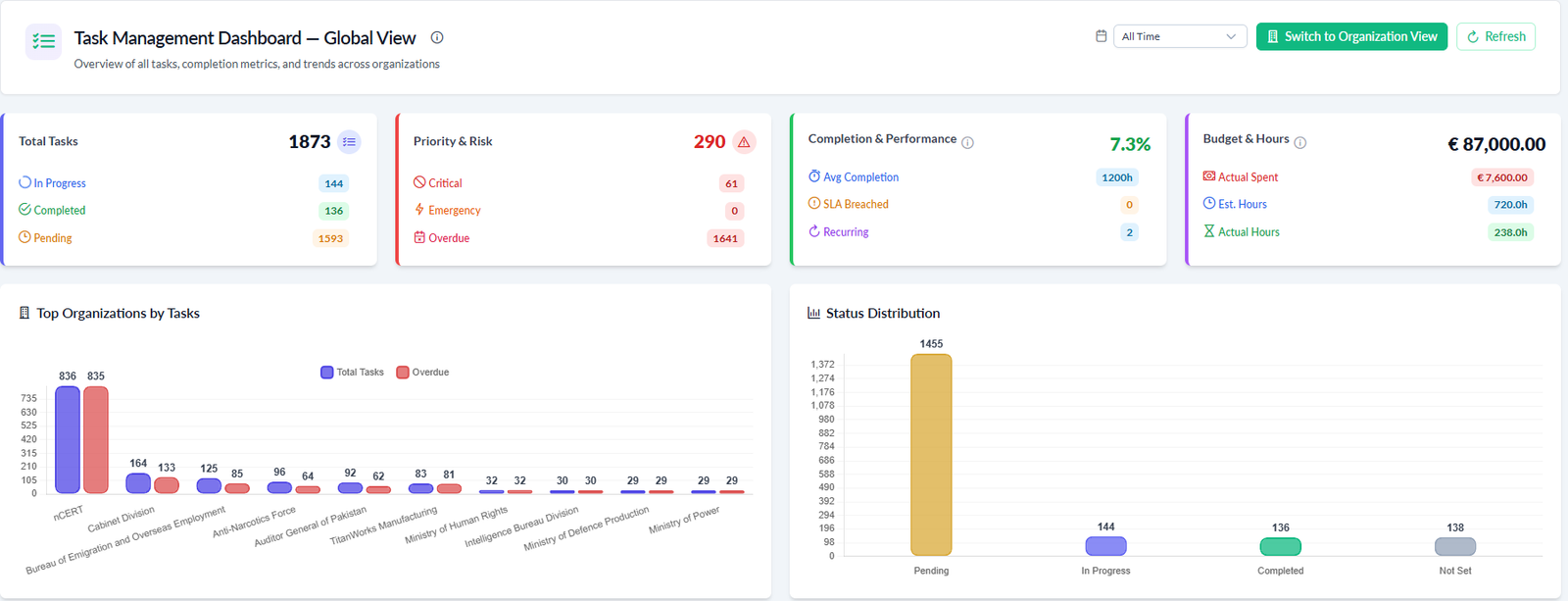
AI Admin, Tasks, and Analytics — one automation layer working across every module: 13+ AI features and 21 signal-driven automations.

Admin, Lookup, Billing, Platform Setting, and Support Centre — the operational backbone of the platform.
500+ fine-grained, module-level permissions. Create users, assign organization + role combinations (including multi-organization access), and build custom roles with a live navigation preview.
Centralized lookup and configuration management for the dropdown values, categories, and classifications used across every module.
Billing and subscription management with annual or manual billing plans, invoices, and payment methods.
Built-in support center with SLA-based ticketing, cross-organization visibility, and ticket-to-task linking.


Create users, assign organization + role combinations — including people who work across more than one organization — and preview exactly what a role's navigation will look like before rolling it out.
People with more than one organization or role are asked to choose a context at sign-in — the menu and permissions follow the context they pick.
Import many users at once from a template spreadsheet — with role codes, organizations, and welcome-email delivery handled automatically.
Review exactly how the side menu will look for a new role before assigning it to a whole department.
Ask me about CyGuardPro's features, controls, frameworks, or how to use the platform. I answer from the official CyGuardPro documentation.